EventSpase
The easiest way to create and share events.
The project started in 2016 as a classroom collaboration between me and my cofounder, Nkanyiso Nzimande (Nzim). We had both missed out on a major on-campus talk and were frustrated with the lack of a central platform to find and share events. On a campus full of newsletters, posters, Instagram stories, group chats, and scattered links, “being informed” basically meant being everywhere.
By Summer 2018, I learned React Native and took on the frontend build. We shipped our first working MVP in Spring 2019 and used campus pilots to pressure test whether the product could survive real behavior.
Problem
We realized that events weren’t failing because students didn’t care. They were failing because the information was fragmented. People found events through whatever channel they already trusted; an email newsletter, a club’s Instagram story poster, a Facebook Events link, a GroupMe message, or a screenshot floating in a group chat. Organizers did the same work repeatedly, posting the same details in different formats, across different platforms, then dealt with the same outcome; people RSVP’d, forgot, or didn’t show. We focused the problem down to one question:
“Can we give organizers a single, reliable event page that travels well across the internet, and gives attendees instant clarity?”
Research
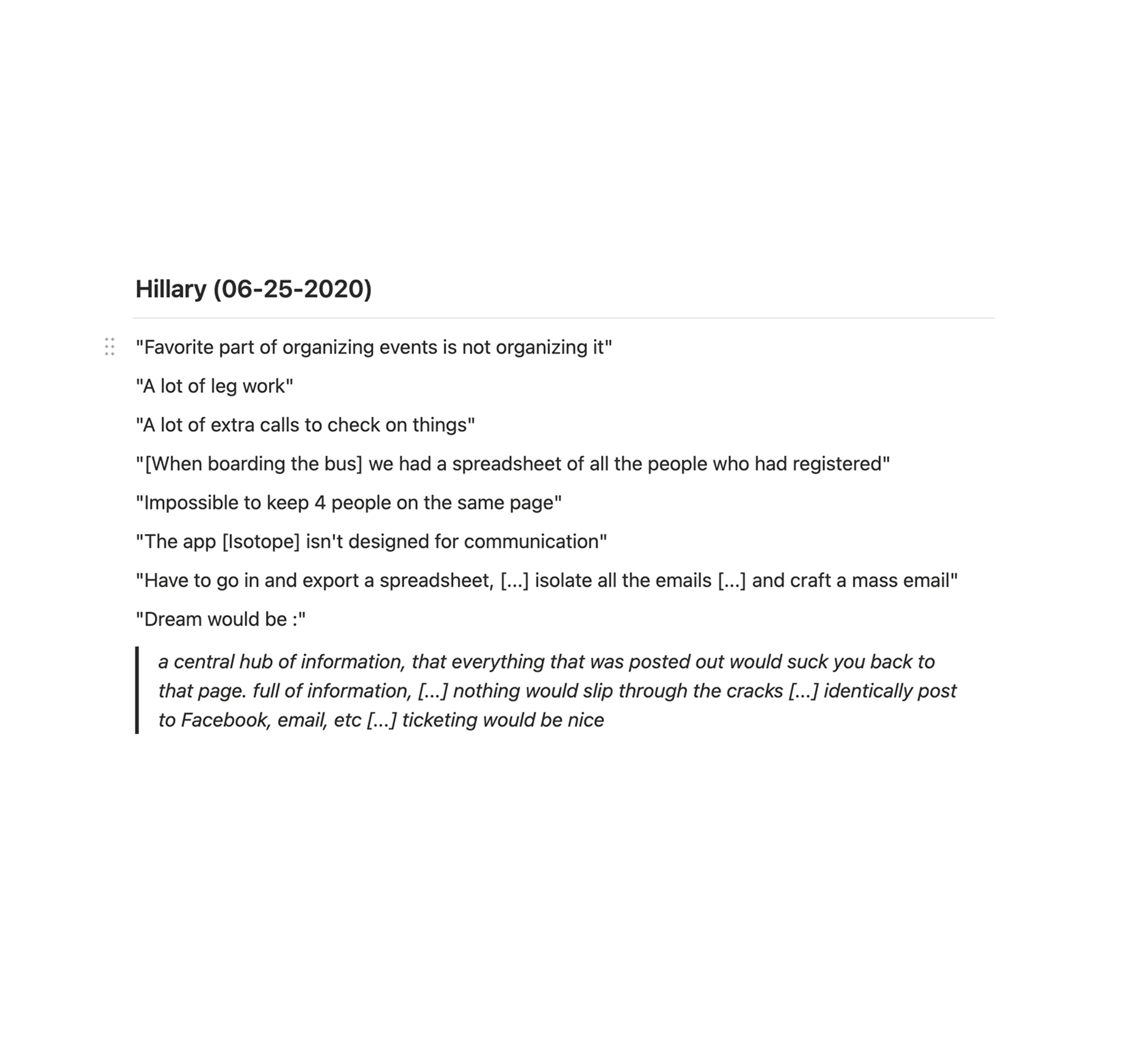
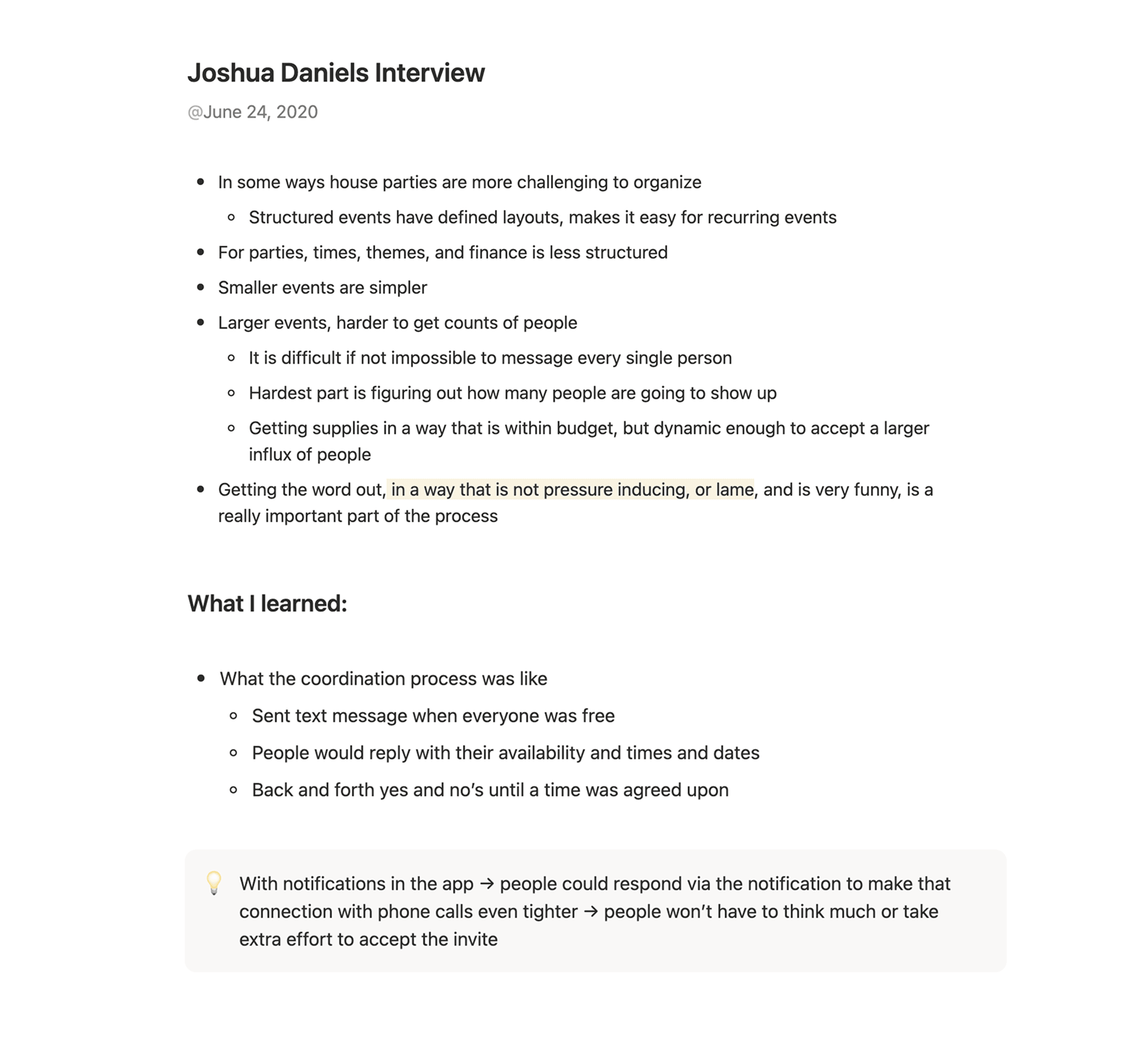
We treated research as the product’s foundation. For years, we spoke with student organizations and the people who ran them. We met founders, club leaders, and frequent hosts. We also spoke with students who consistently attended events and students who consistently missed them. Our interviews stayed practical: Where do you post events today? What details do you repeat every time? What makes turnout unpredictable? What do you wish you could track? For our Design Anthropology course, our classmates and teammembers also conducted interviews with students and organizers to get a more comprehensive understanding of the problem.
Footage I shot for our Design Anthropology class
What we learned
1) Discovery was a behavior problem, not an information problem. Students weren’t missing events because nobody announced them. They missed them because announcements were spread across too many channels, each with its own logic.
2) The first screen decides everything. People make a “yes/no” decision quickly. If the event doesn’t explain itself immediately, it gets swiped away.
3) Organizers were carrying the real workload. Attendance wasn’t their only problem. They needed a workflow: post → share → track → follow up → learn → repeat.
That third insight became more important over time. Early versions of EventSpase were strong for attendees and thin for organizers. The research made the gap obvious.
Process
The entire process can be divided into three main phases spread over 4 years.
Building the MVP (2018–2019)
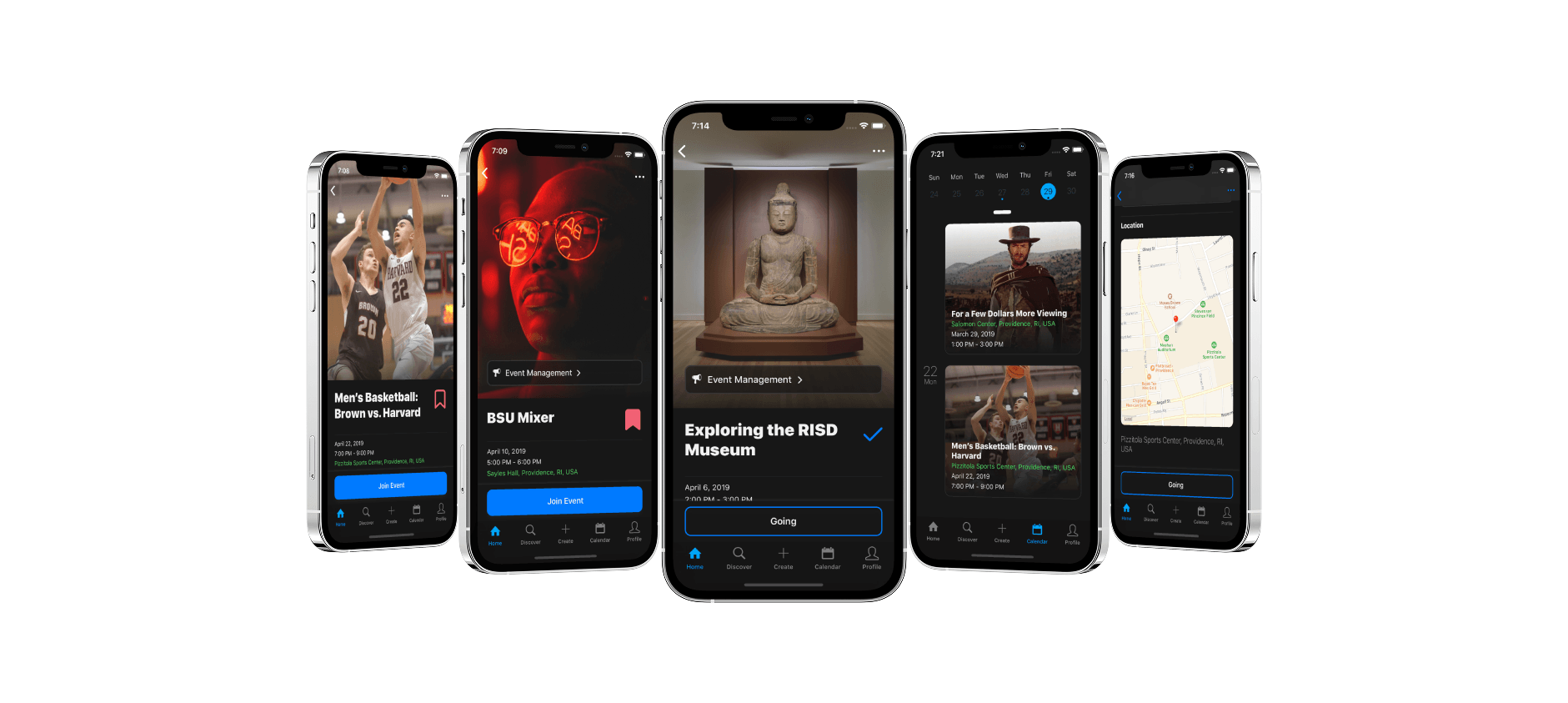
I learned React Native in Summer 2018 and built the app toward a simple standard: create an event fast, share it fast, view it instantly.
We piloted with a campus organization at Brown University and got immediate feedback. The core flow held up. People could understand events faster than they could parse a poster screenshot.
The product didn’t stick with organizers. Creating an event was easy. Managing it wasn’t. That result shaped everything that followed. It gave us a clear next research agenda: organizer workflow, not attendee browsing.
That result shaped everything that followed. It gave us a clear next research agenda: organizer workflow, not attendee browsing.
Iteration 2: Social Events
We explored a broader, more social direction. We experimented with feeds and a “collections” idea where users could save events into themed lists, similar to bookmarking with context. In practice, the feature depended on scale. Without a dense supply of events on the platform, “collecting” felt empty. We removed it and tightened the experience around the behavior we kept seeing: events were shared in private spaces, and people needed a clean link that worked there.
Iteration 3: Creators and Craft
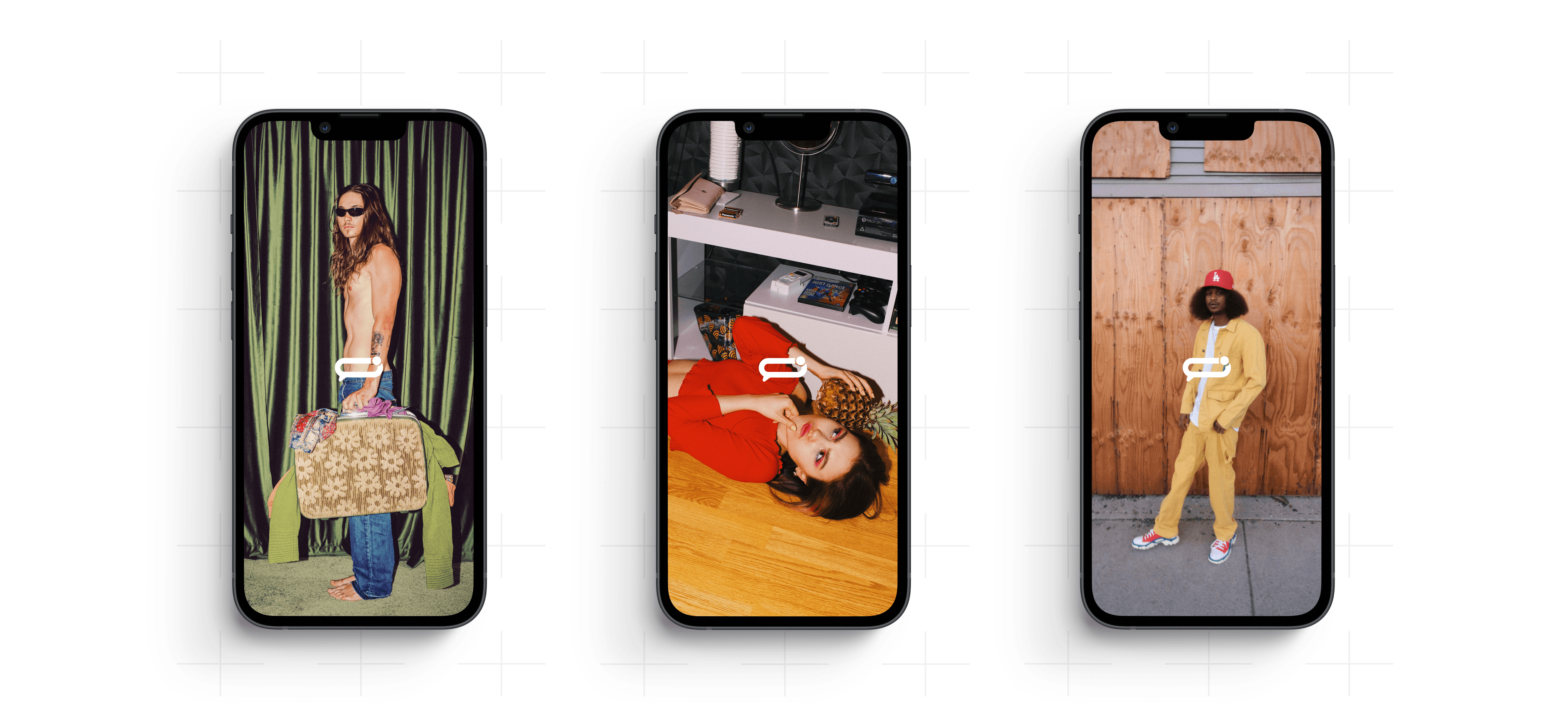
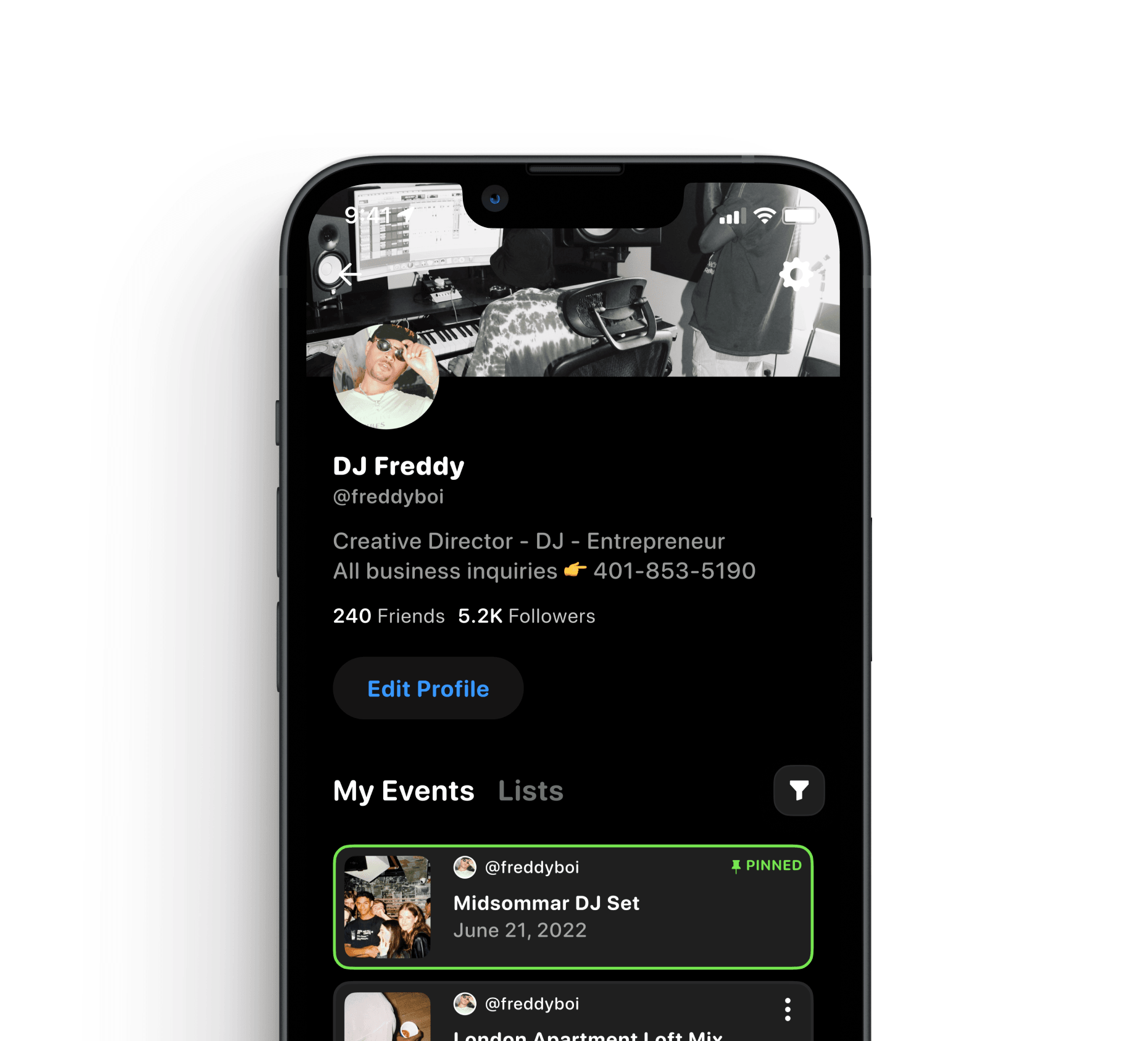
By 2020–2022, while hosting smaller gatherings and watching events shift during the pandemic era, we saw a sharper pattern in who cared most about presentation. Creative people treated tools as identity. The platform choice mattered. An event page wasn’t just information—it was brand. That insight pushed us into a clearer segment. We ran a beta direction focused on musicians in South Africa, aiming for a product that felt aligned with nightlife, creative energy, and repeat hosting.
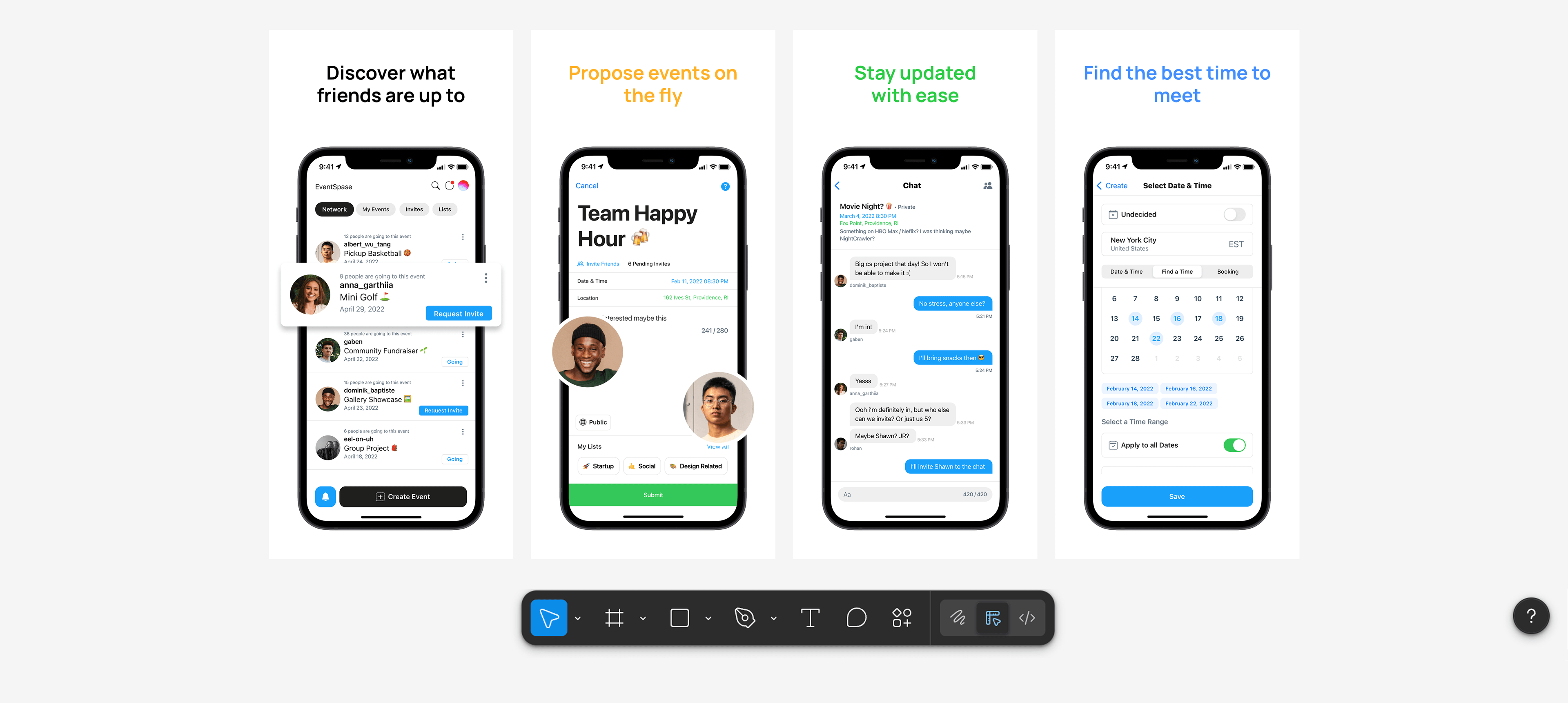
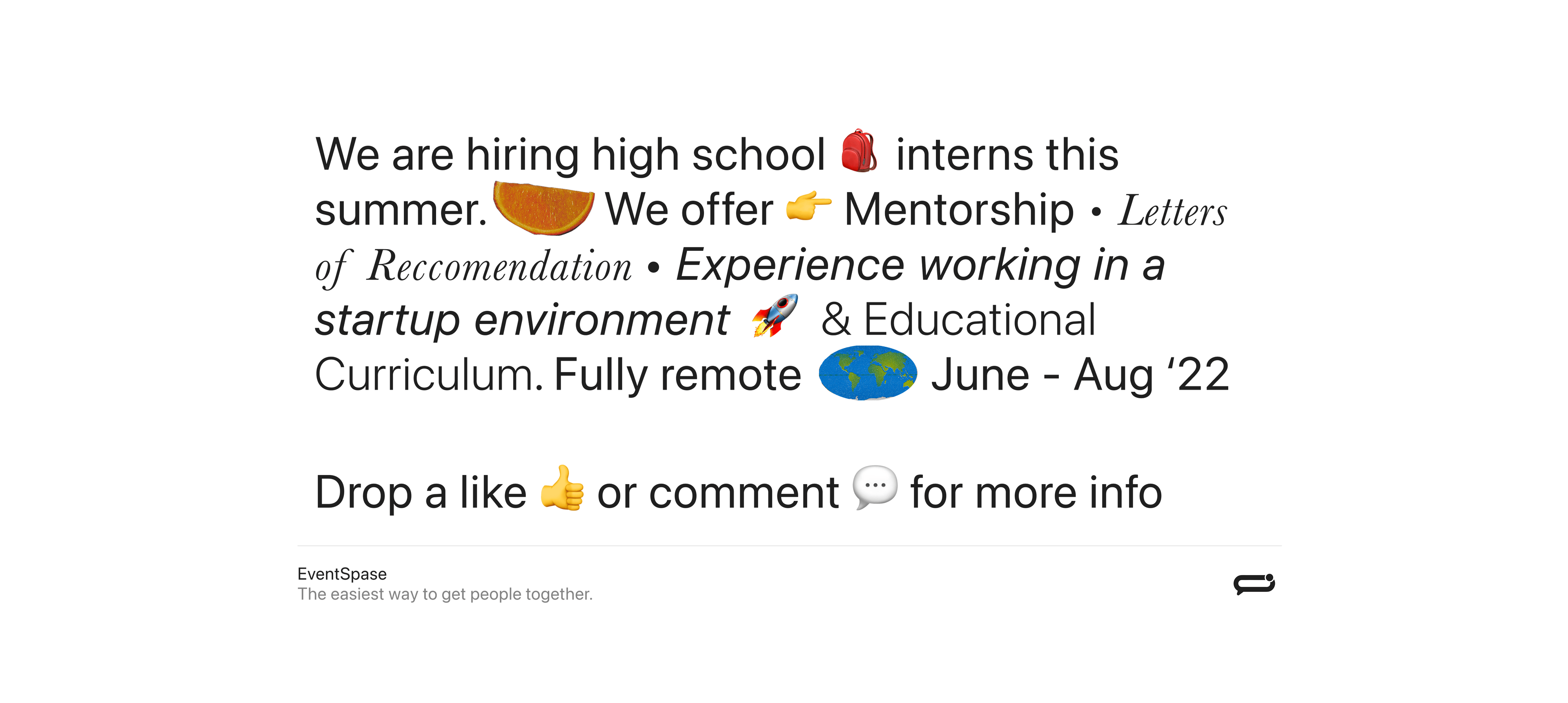
Experimental 'Ad' for promoting EventSpase. I used Keynote for the animations.
Final Design
I designed the interface around four principles: information should be clear, fewer screens and fewer clicks, complexity shows up when you need it, and make it fun.
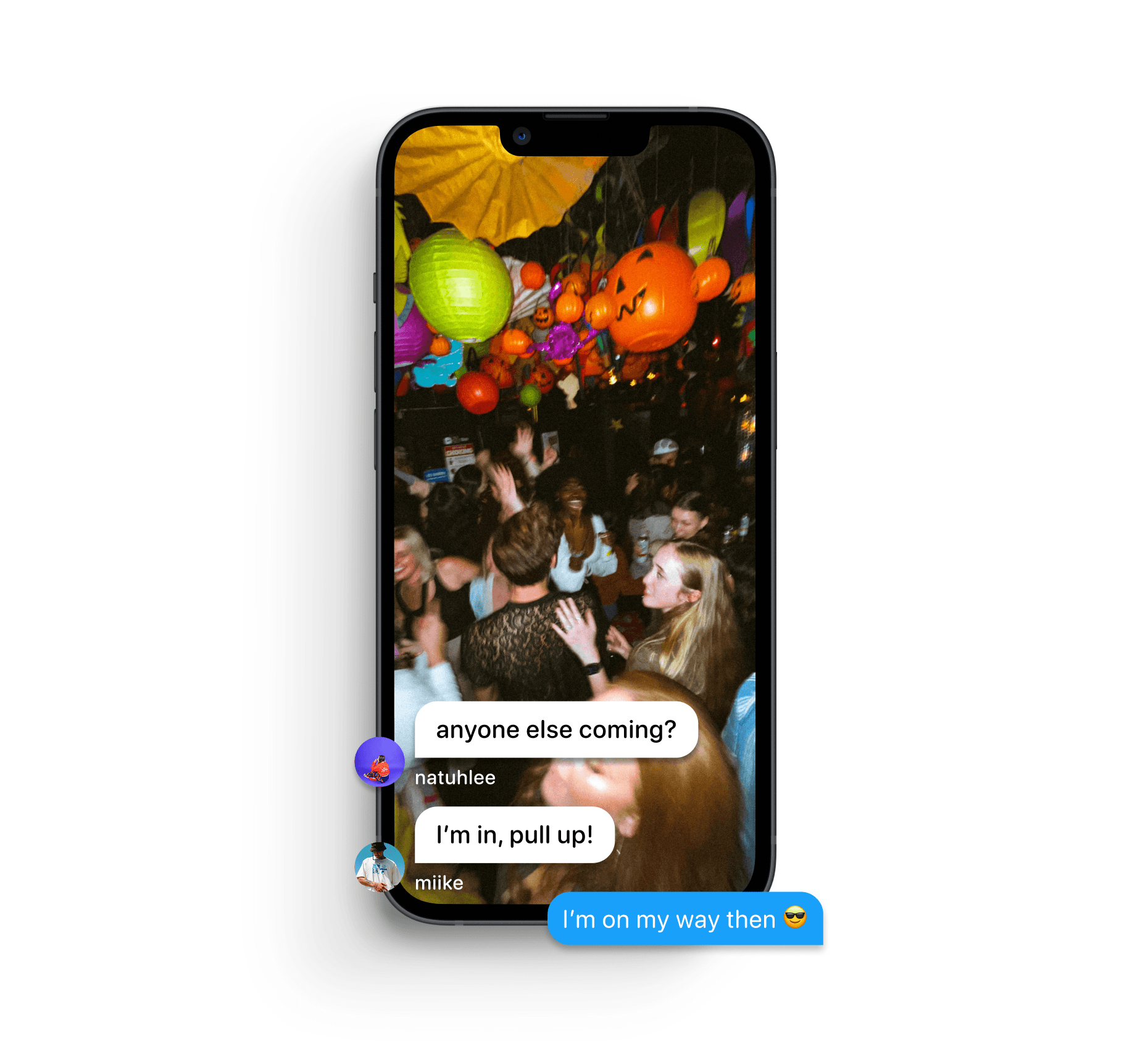
The Event View
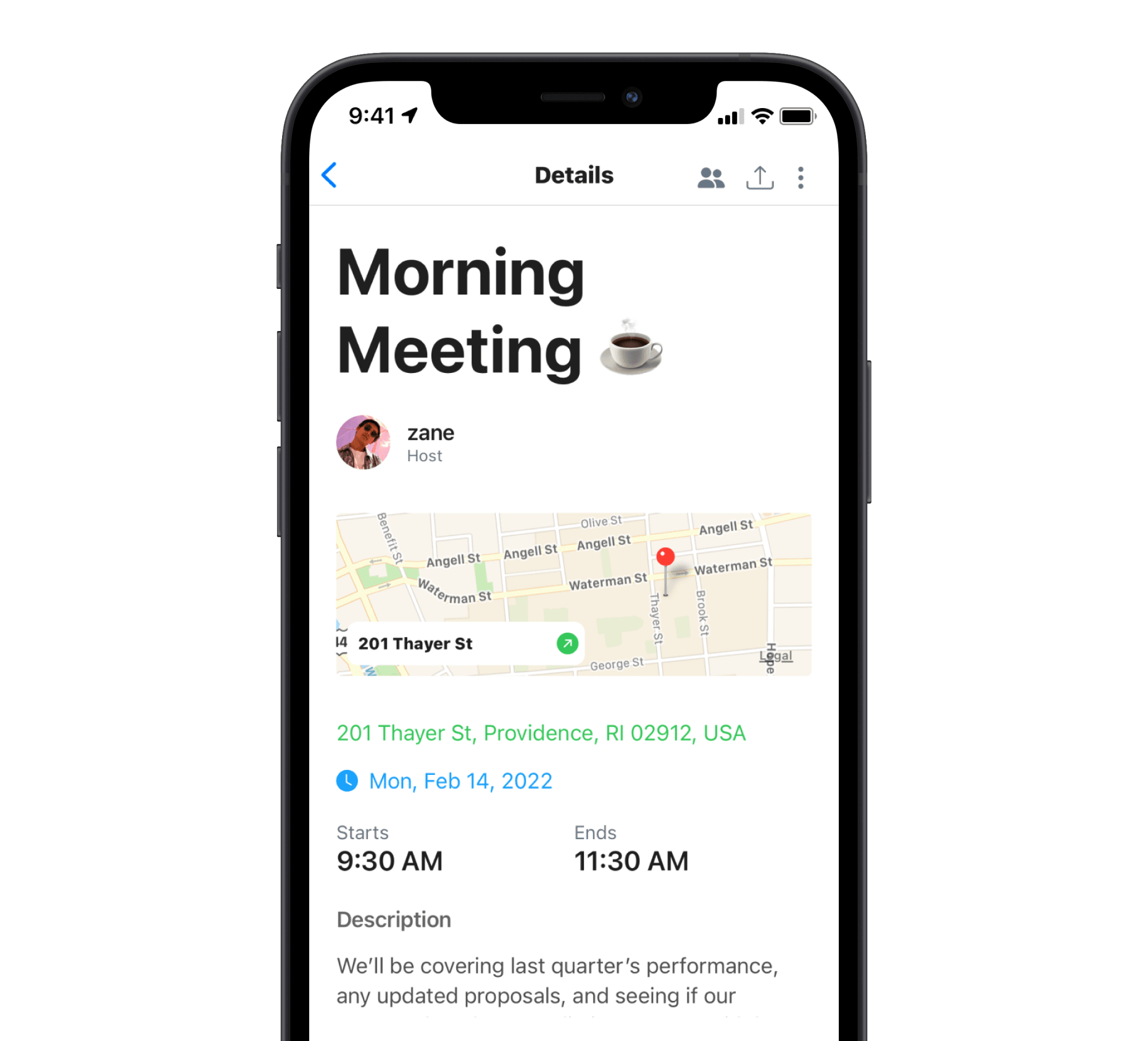
Every event detail view surfaced the same essentials: title, location, time, host. Those four pieces were non-negotiable. If someone tapped into an event, they needed to understand it on the first screen. What is it, where is it, when is it, who's behind it. Everything else came second.
A guest list became an important supporting signal. People wanted to see who else was going, even when they didn't say it out loud. Seeing a familiar name on the list was often the thing that tipped someone from a "maybe" to "yes."
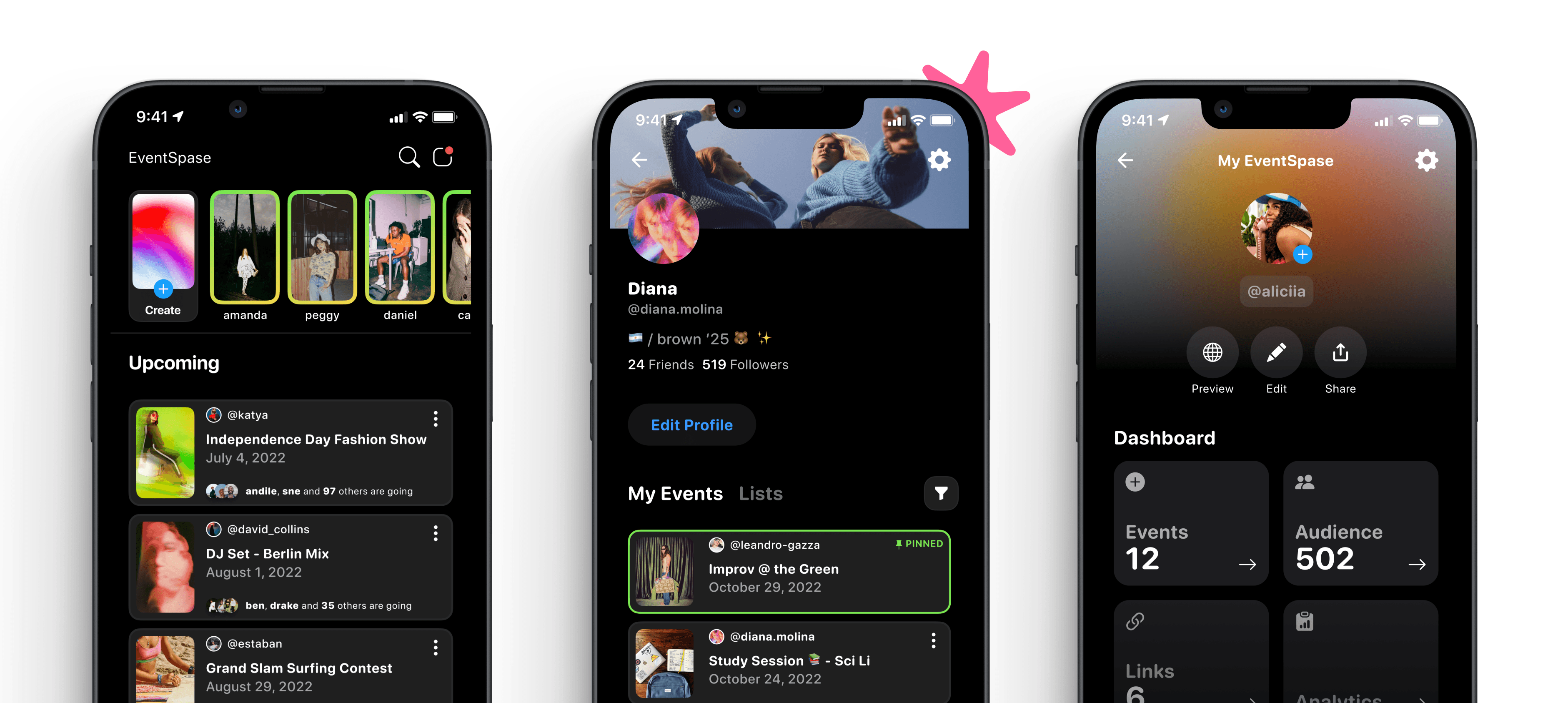
Cover Images with Restraint
We used a cover image as an attention anchor in the feed. It helped users quickly interpret what kind of event they were looking at — from a DJ set, an art show, or a talk. Without it, the feed was just a wall of text with nothing to latch onto.
Inside the event detail view, we pulled the image back. We found users would be encouraged to upload a poster from Canva — which had tiny text and visual clutter — making it even more confusing for attendees if details changed in the app but not on the cover image.
Progressive Complexity
Creating an event needed to feel fast. We pre-filled defaults for date, time, and visibility so you could drop an event in seconds if you wanted to. It felt closer to posting a tweet than filling out a form.
The additional settings — location details, guest list controls, duration — lived on separate screens. You only saw them when you went looking. This kept the creation flow lightweight for casual hosts while still giving repeat organizers the control they needed. We weren't hiding complexity, we were just sequencing it.
Visual Language Evolution
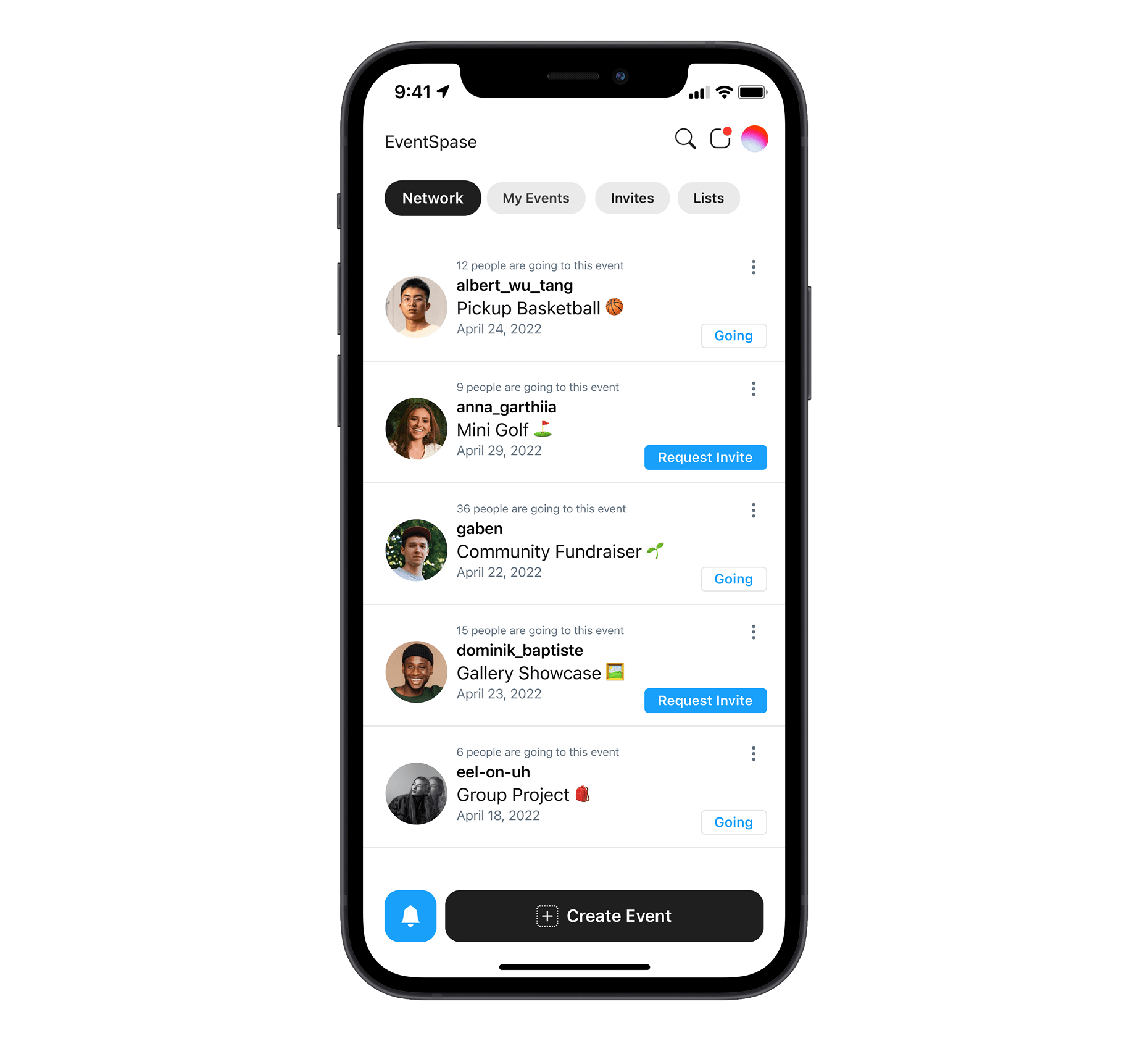
Iteration 2 leaned minimal and familiar. White background, subdued color, Inter typography, list-first structure, and predictable native transitions. Notion was a big influence at the time. The idea was that the app should get out of the way and emphasize the event details. The event and the people around it should be the loudest things on screen.
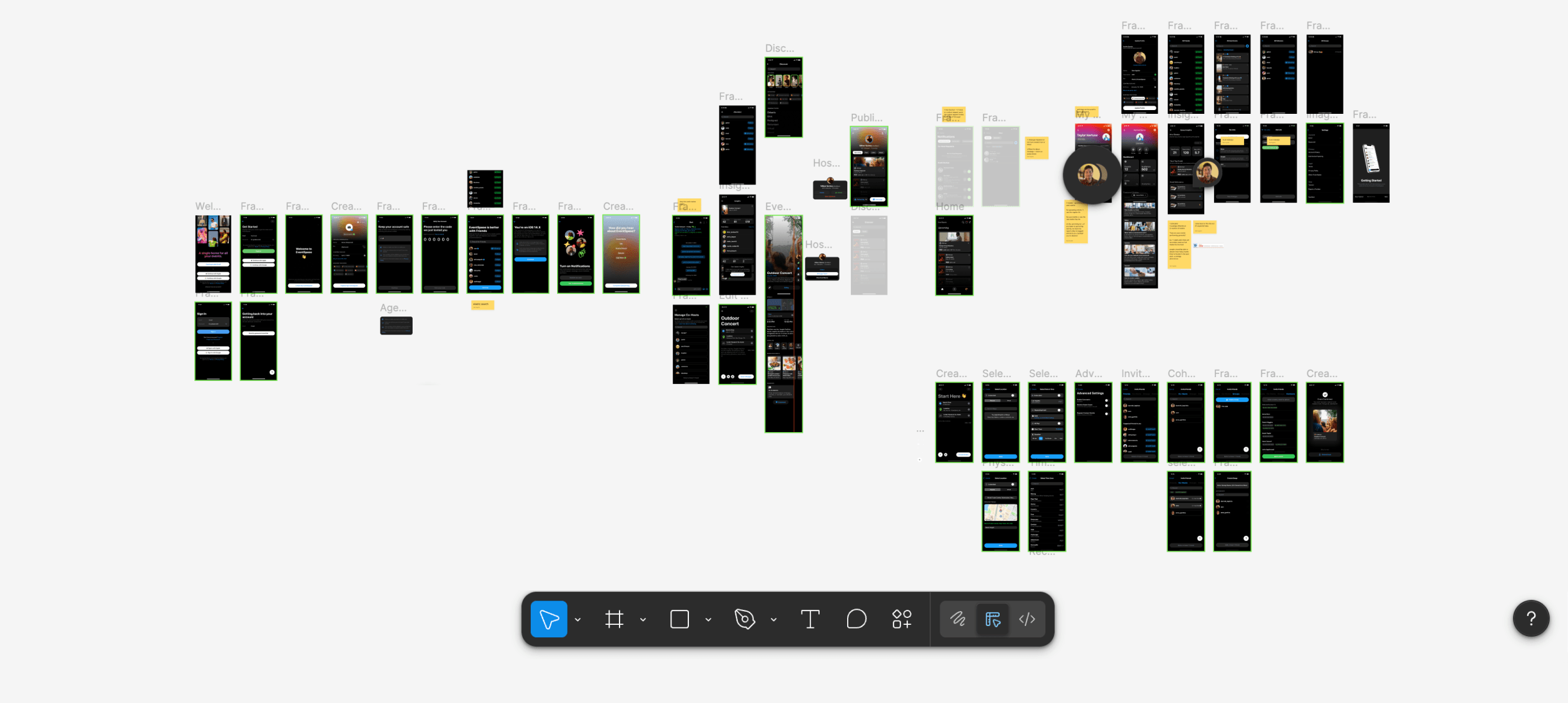
The final iteration is far more expressive. Dark UI, softer corners, a switch to SF Pro Rounded, livelier haptics, and more personality in loading and interaction states. Switching to dark mode alone sent a signal: this is social, this is nightlife, this is a bit more discreet. We added springiness to transitions, more alive skeleton states, and subtle depth when pressing buttons. It matched the creative segment we were designing for — people who pick their tools the way they pick their typeface. The platform had to feel like something they'd want to be associated with.
What We Deliberately Deferred
Some ideas were designed and scoped but weren't built out — including ticketing, QR check-in, a creator insights dashboard (views, RSVPs, turnout), richer analytics and audience tools, and deeper creator workflows like co-hosting and discovery surfaces.
The constraint was real at the time; I was the only front-end developer, and this was before AI-assisted coding tools were available. I kept the interaction model minimal so the product stayed shippable. I knew ticketing in particular would have changed the product significantly — it would have closed the loop between "RSVP yes" and "actually showed up." But the technical lift was beyond what I could deliver at the time, so we scoped it out and focused on what we could ship well.
Impact
EventSpase didn't become a campus default. It didn't become the go-to tool for any single segment either. That outcome was honest, and it was useful.
What the product did prove was that the core model worked. A clean, structured event page outperformed a poster screenshot every time. Attendees understood events faster when the information was consistent — title, time, location, host — and they didn't have to decode a flyer to figure out the basics. Speed in event creation mattered too. The hosts who stuck around were the ones who could drop an event in under a minute and share the link immediately.
We also confirmed something we suspected but hadn't articulated early enough: the information hierarchy for events is mostly universal. It doesn't matter if it's a campus talk, a house party, or a DJ set. People ask the same four questions in the same order.
But the product couldn't earn repeat use from organizers, and that's where the real learning was. Organizers needed visibility into who was coming, who wasn't, and what worked so that their next event could perform better. They wanted to know how many people saw the event page, how many RSVP'd, and how many actually showed up. That funnel — from awareness to intent to attendance — was the thing they were managing in their heads or in spreadsheets, and we hadn't built anything to support it.
The gap between "great for one event" and "I use this every week" was the organizer toolkit we hadn't built yet. And that gap is what ultimately kept the product from compounding.
Reflection
This project is where I learned to stop designing for "people like me" and start designing for a hyper-specific user with a recurring problem.
In the early iterations, I was thinking like an attendee. What would look cool to browse? What would feel good to open? How do I, the attendee, keep up with the events happening on campus? This mindset kept me focused on the consumption side of events — the feed, the card layout, the visual polish — while the people doing the hardest work (the hosts) didn't have much to come back to.
I also held onto a broad audience for too long. "Students" isn't a segment. "Social events" isn't a segment either. It took multiple rounds of research and honest conversation to narrow down to something real: creative people hosting repeat events who cared about how their tools reflected their identity. That specificity came late, and it should have come first.
Today, I would start with the organizer. Not the attendee, not the feed, not the visual system. The person hosting 3–4 events a month who needs a workflow.
I'd build the organizer suite first — an insights dashboard that tracks the RSVP funnel from awareness through turnout, guest list tools with messaging so hosts can follow up directly, ticketing and check-in so "yes" actually maps to "showed up," and lightweight ways to reuse and improve event setups over time. The front-facing event page would still matter. But it would be one output of a larger system, not the whole product.
The other thing I'd do differently is think in lifecycles, not screens. What happens after someone's first successful event? Where do they go on the platform? What information do they need to make the second event better than the first? Those questions weren't ones I was asking in 2018. I was asking "does this screen look right?" — which matters, but it's not enough.
Overall, I'm thankful for the experience I gained from working on EventSpase. It gave me design reps across the full stack — research, interaction design, visual systems, production constraints, and most importantly, shipping.